Hack Your Mind Right Now....!

  • Home
  • Android
  • C Language
  • Facebook Hacking
    • 20 FB Tricks
    • Animation in FB
  • DeadlyHacker

GET SET READY......Go

  • Mr. DeadlyHacker
    more
  • Window Hacking
    more
  • Hacking Tools
    more
  • Google Hacking
    more
Showing posts with label Window Software. Show all posts
3:41 PM

Deadly Software Collections

The release of the Deadly Software V. 0.2 


A Huge Virus Free Software Collections Design By Aman Badhania ...Like Video Converter, Photo Editing, Desktop Customize, Web App, Portable App ...Etc ... 

Download From the Link and not any advertisement Link ...thnks For Visit 
Download Link Here...
http://www.4shared.com/file/2FLEQMC9ce/Deadly_Software_V_02.html

Like my FB Page for more Tricks Alerts ...
http;//www.fb.com/deadlyhackergroup


2:25 PM

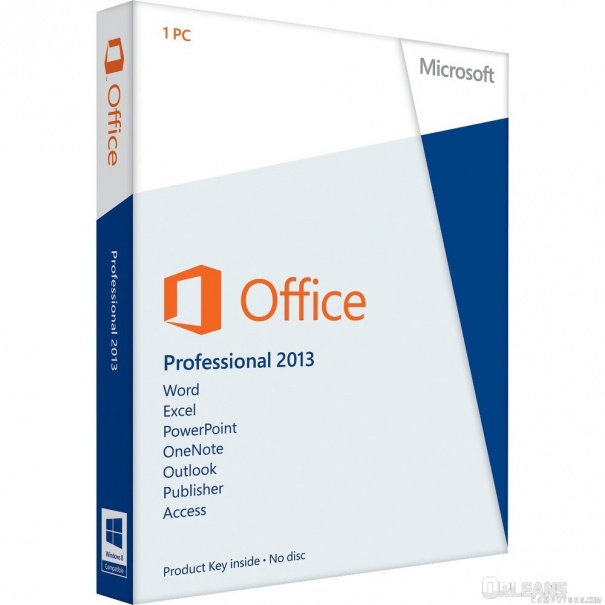
Download Microsoft Office Professional Plus 2013 for Free:


Microsoft Office Professional Plus 2013


First Version Microsoft Office released on Nov 19th 1990 named "Office 1.0".
After the release of first version of Office Microsoft earned 1 Billion in one year, A huge hit to Microsoft Company. Microsoft Office written in C++ programming language.
MS Office 2013 is the 11th version.


Microsoft office 2013 is the most awaited software from Microsoft Windows.
Microsoft released MS Office Professional Plus 2013 & Consumer Preview Beta version Pack...


Editions:32-bit and 64-bit versions
-----------------------------------------------------------------------------------------------------------
Languages:
Arabic, Chinese (Simplified), Chinese (Traditional), Dutch, English, French, German, Hebrew, Italian, Japanese, Korean, Portuguese (Brazil), Russian, Spanish
-----------------------------------------------------------------------------------------------------------


Download(DeadlyHacker)

Technical Resources:

Access technical product resources—such as forums, solution accelerators, white papers and webcasts—at the Office Professional Plus 2013 Resource Page.
Office Benefits:


Productivity with modern, touch-enabled experiences
Quickly form business insights with Excel
Bring ideas to life with PowerPoint and Word
Stay connected to the people you work with using Outlook and Lync
Manage Office with real-time performance monitoring and controls
3:16 PM

AUTOCAD 2010 FULL VERSION FREE DOWNLOAD


Autocad 2010 :
AutoCAD 2010 software lets you design, visualize, and document your ideas clearly and efficiently
Watch as AutoCAD guru Lynn Allen walks by way of new features,
parametric drawing, and many extra new capabilities.
Dramatically slash your design revision time with parametric drawing.
By defining persistent relationships between objects, parallel strains stay parallel,
all automatically. you'll be able to freedownload AutoCAD 2010 now.

3:27 PM

How to Create A System Image in Windows 7


There are quite a few backup options available in Windows 7 and one of them is creating a system image. You do not need to make use of a third party application such as Ghost or True Image to do it. You can do it simply by making use of a feature available on Windows 7.

After installing Windows 7 and all your favorite software on your system, you need to create asystem image of your machine. The image disc you create will come handy in case your pc crashes and it will help you to restore your system to the current state. What is a system image? It is an exact copy of the things you have stored on your drive. The best time to perform a system image is when you feel the system is working in perfect condition.

Here is how you can create a system image in Windows 7:

1. Click on the Windows logo on the bottom left of the screen and click on Getting Started and then click on Back up your files. Alternatively, you can type Backup and Restore in the search field present on the Start Menu.


2. On the new Window that opened, you need to click on Create a system image. Doing this will open a new window with the title Create a system image.


3. You need to select where you want to save the system image file. You can save the image on to your hard drive, or on external hard disk drive or on multiple DVD’s through burning and you can even store it on a network location. Once you have selected the appropriate option, click Next.


4. On the Which drives do you want to include in the backup screen, you need to select the drives you want to backup and then click on Next. Please note that on the same screen, you will also be shown how much space the backup would take.


5. The next screen is Confirm your backup settings. Here you will be shown all the drives that will be backed up. Once confirmed, click on Start backup.


6. You will now see a progress meter that will show the progress of the images that are being created. The speed of the backup varies from system to system depending upon its configuration.


7. Once the process finishes, you will be asked Do you want to create a system repair disc? And it will also tell you what a system repair disc is. You can confirm by pressing Yes and save thesystem repair disc in a secure location and it will lead you on to the next screen.


8. On this screen, you will be prompted to enter a black CD or DVD to store your system repairimage. Once you pop in the disc, you can click on Create Disc.


When you want to restore the backed up system image and system repair disc, you can go to the System Recovery Options and choose the appropriate option.

3:15 PM

How To Partition Hard Drive Without Losing Data


By the time using your computer, you might have wished to partition your hard drive. Perhaps, the reason might be to dual boot or secure some separate partition for backing up old or important data. You might be guessing that I would suggest you to download some tools. But it’s not like that, I am not going to suggest you those old tricks that says to back-up your data and place it in separate storage device and partition it again and again it to one of your partition.


In Windows 7, there is simple way to do it. Today in this tutorial, I’ll be guiding you through the each and every steps with screenshots.


Before starting note that,


- We can partition any drive, even a system drive


- We can do it only in Windows, Windows 7 and Vista specifically


So let’s divide it.


Go to Start > Right click on My Computer and choose Manage.


Disk Management Window will Pop-up, it may take time to load it since it fetches for all the hardware and system information in your PC. After it’s fully loaded, go to Storage> Diskmanagement at the left sidebar. This is where we’ll have all the information about storage devices that are in our PC currently connected and active.


At the right column all the storage media will be listed with their basic information like File system type, and status. Now choose the Volume that you want to partition. Right Click on it and selectShrink Volume option from menu.


As soon as you click on the Shrink Volume option, system will search for available space in your selected Disk Volume.


This will not take much longer than few seconds. After querying, Shrink window will pop-up. This is where you’ll have to specify the Volume for next partition.


Look at the total size of available shrink space. Below it, you’ll have to Enter the space to shrink.


You must make sure that the size is not below the total size of space taken by files in that drive.


You can check the used space by right clicking on the drive you are going to partition and chooseProperties.


Click on Shrink button after specifying the size to shrink. The shrink size is for the value for the partition where your old files will be contained and remaining size will allocated for your next partition.


But you’ll still not able to access this new drive. You’ll have to format it and specify the drive letter to access them. To do so, continue reading.


Right click on unallocated drive and choose New Simple Volume option.


New Simple Volume Wizard Window will popup.


Click on Next button to continue.


In next window, you’ll have to specify the size for your new volume. Set full size if you are satisfied with two partitions; else divide it again for new partition.


Next choose any drive letter from the available list and click on Next button.


In next window, leave everything as default but make sure it’s similar to the screen below:


Click on Finish window to complete the wizard.


If you’ve autoplay enabled in your computer, then New Volume will be auto played for the first and last time.


Go to my Computer to see your new drive ready.


With similar method you can also format your empty drive to create multiple partitions.


Hope you post was helpful. Subscribe to our feed for more interesting articles.
6:57 PM

Automatically close non-responsive programs


All of us, every once in a while experience some difficulties with WIndows. The most famous one is the responsiveness(should I rather say non-responsiveness) of certain tasks. And when a task goes berserk or out of control, we mostly end up with explorer crashing and starting up again. Windows has a feature that can close all non responsive programs automatically, before they can do some damage and kill some other essential tasks.
The best way to enable this feature is to edit the registry. It’s very important to make a backup before editing, so if anything goes wrong and your OS starts to malfunction, you can always bring back your backup.
1.START>RUN… type in regedit
2.Go to HKEY_CURRENT_USER>CONTROL PANEL>DESKTOP and find the key AutoEndTask. Change its value from 0 to 1.
Now Windows will automatically end those task which are non-responsive in that moment.
6:00 PM

Add Turn Off, Restart and Log Off Options


How to add additional options into the right-click menu of  My Computer:
1)Open notepad start ->  Accessories -> Notepad  ,  copy following code into notepad
or just download the code , from this link
2)  Then save the notepad file, as shown below
3)Run registar.reg , it  will ask you for your permission to add this tweak into registry, you click Yes.  After this  you’ll have more options (log off, turn off, restart computer) in the right-click menu.
Before you do this, it would be a good thing to make a backup in case you want to undo this tweak…
Here’s a video instructional if you find it easier to follow the steps this way:
http://www.youtube.com/watch?feature=player_embedded&v=pSxtn-S4mjE
5:43 PM

Customize Your Computer with TweakUI

TweakUI is effective application with simple graphical user interface, that allows you to easily modify desktop settings and icons and to accelerate Windows by disabling components, without messing around in the Registry Editor .It is intended for Windows XP, Windows 2000, Windows Me, Windows 98, Windows 95. TweakUI offers many option , just enable/disable option that you like/not like.For example you can enable/disable beep on errors, log off on start menu, my documents on start menu,icons in my computer, set mouse sensitivity, speed and many more. TweakUI looks like this:


1. Download TweakUI from this link and install it
2. Go to start, then Run, in Run option type tweakui.exe, after this will appear TweakUI
2:44 PM

New Windows 8 Features [INFOGRAPHIC]

In this Windows 8 Infographic tells about windows 8 release date, The best Windows 8 10+ new features, Windows 8 usage on Laptop, Desktop and Tablets, and other windows 8 news and specification .

Also See : How to install Windows 8 [With ScreenShots]

Click here to check about latest cyber news

Source: dotcominfoway.com
2:34 PM

Windows 8 Metro UI on Windows 7 by using Omnio


Hello friends today we are going to talk about Windows 8 metro user interface on windows 7 by using rain meter and omino.You can also use Omnio in Windows Xp and Vista

  • To use Omnio, First you have to install Rain meter Click here to download Rain Meter
  • Then go to this site and download Omnio. Extract the downloaded content and click on the setup after installing omnio 


After installing Omnio


4:13 PM

The Best Windows Software


 The Best Windows Software


On this page you will find the best 117 free Windows programs for all your needs.
We’ve taken the effort to categorize the apps and picked only those we believe to be the best ones and which will most likely be useful to you.


avast! Free Antivirus
Expect great all-around protection against viruses and trojans.
Download
AntiVir Free Version
Lightweight and solid. Good ratings. Worth looking into.
Download
AVG Antivirus Free Edition
Not as good as Avast or Avira but with considerably less bloat. The most popular free antivirus.
Download
Microsoft Security Essentials
Simple, effective and lightweight protection suite.
Download
Comodo Internet Security
Free security suite, includes both a firewall and anti-virus protection.
Download


Spybot S&D
Detects and removes spyware. Compliments anti-virus apps. Has a very good reputation.
Download
Malwarebytes’ Anti-Malware
Easy-to-use, simple, and very effective anti-malware application.
Download
IObit Malware Fighter
Advanced malware & spyware removal utility.
Download
Threatfire
Spyware removal tool with real-time antispyware protection. Lightweight and memory sparing.
Download
Superantispyware
Lightweight scanner to detect and remove spyware, adware, trojans, and other threats.
Download


PC Tools Firewall Plus 6
Powerful firewall capable of providing excellent protection.
Download
Comodo Firewall (standalone)
Long been considered one of the best free firewall tools available.
Download
ZoneAlarm Free Firewall
Provides the best overall firewall protection for advanced users.
Download
Online Armor Free
All of the normal features of a firewall and more.
Download
Ashampoo FireWall Free
Very easy to use and navigate. For intermediate users.
Download


Auslogics Disk Defrag
Simple, reliable and quite fast. A must-have free PC tool. Considered no.1 by many.
Download
Defraggler
Another excellent defrag tool. Portable. From the same guys behind hugely popular CCleaner.
Download
IObit Smart Defrag
Extremely easy to use. Works continuously in the background.
Download


Recuva
Very effective in restoring deleted files. Extremely popular.
Download
FreeUndelete
No frills, just focused on the zen of file recovery.
Download
ADRC Data Recovery Software
The Renaissance Man of free data recovery. Not as popular as Recuva but still has its own fans.
Download


Revo Uninstaller Free
Fast and very effective at uninstalling just about anything. Popular choice for the purpose.
Download
IObit Uninstaller
New kid on the block. Gaining popularity. Boasts a bunch of features not found on other uninstallers.
Download
Absolute Uninstaller
Less popular than the other two but probably the simplest to use one.
Download


Mozy
Incredibly smart, highly secure, set-it-and-forget-it backup solution. Backups data to web.
Download
FBackup
Easily backup important files and documents, personal settings and plugins.
Download
Todo Backup
Able to backup the entire operating system, program settings, browser data, emails and other data.
Download
Clonezilla
Live CD to completely clone your hard drive.
Download
SyncBack Freeware
Selective synchronisation, local and remote backup to an FTP server.
Download
FreeFileSync
Open source folder comparison and sync tool. Optimised for speed and usability.
Download
CopyTo Synchronizer
Wide set of options for backing up, updating, and synchronizing files.
Download
DriveImage XML
Easily Backup or copy entire disks block-for-block directly to another drive without the need to reboot your computer to run the cloning process.
Download


Glary Utilities
Includes over 15 useful system maintenance tools. Been recommended by MakeUseOf several times!
Download
CCleaner
Scores high points all around. The most popular choice at the moment. Not as many features as in others.
Download
IObit Toolbox
The amount of system maintenance tools included in this free app is truly staggering.
Download
Soluto
Speed up Windows boot time by removing unnecessary apps from startup. Very effective.
Download
IObit Advanced SystemCare Free
One-click approach to help protect, repair, clean, and optimize your PC.
Download


Google Chrome
The fastest, minimal design browser (from Google) now with extension support. Growing extremely fast.
Download
Firefox
More than 6,000 add-ons for every possible feature. The most customisable browser to date.
Download
Safari
A web browser from Apple. Designed to emphasize browsing. Also features extensions.
Download
Opera
The “fastest and most advanced” browser available today.
Download


Thunderbird
Increasingly popular email client from the same guys behind Firefox browser. One of the best email clients for Windows.
Download
Postbox Express
A simple, yet powerful, new email application for Windows. Check it out.
Download
Google Notifier
Alerts you when you have new Gmail messages. Simple and handy.
Download


Skype
The most popular cross-platform VoIP application. Must-have for everyone online.
Download
Pidgin
Easy-to-use, cross-platform, multi-protocol chat client. Supports all major chat programs.
Download
Digsby
An alternative multi-protocol instant messaging app. Cross-platform. Extremely popular.
Download
Trillian Astra
Popular multi-protocol instant messaging client.
Download


Paint.NET
Strong candidate as a potential substitute for Photoshop for beginner/intermediate users.
Download
FastStone Image Viewer
One of the best image viewer, converter & editor bundles.
Download
IrfanView
The Swiss Army knife of image viewers/editors. Extremely popular.
Download
Google Picasa
Powerful photo manager software from Google. Includes 1-click photo retouching features. Easy online photo sharing.
Download
GIMP
Very capable graphic editor with Photoshop-like features. Often labeled as free Photoshop alternative.
Download
PhotoScape
Another good free and easy-to-use photo editing application.
Download


foobar2000
Advanced audio player for Windows with highly customisable user interface.
Download | Full Review
Songbird
A popular music player based on Mozilla’s code. Includes some really useful plugins.
Download
Audacity
Very popular open source software for recording and editing audio tracks and sounds.
Download
iTunes
Music player and video library organiser. Hosts the iTunes Store.
Download
MediaMonkey
Full-featured music player and music collection organiser.
Download
Winamp
Well-known, lightweight, small-footprint media player.
Download
CopyTrans Manager
Alternative iPod manager app. Sync and transfer music & files to iPod, iPhone, iPad.
Download
TagScanner
A multifunction program for organizing and managing your music collection.
Download


VLC Media Player
Extremely popular cross-platform video player that can play almost any video file. Highly recommended by many.
Download
Handbrake
Open source, cross-platform, video converter that can convert video files between many video formats.
Download
VirtualDub
Open-source and portable video editor.
Download
Media Player Classic
Replica of WM Player. Includes only the most basic controls but can play pretty much any video.
Download
Freemake
Free video converter & DVD burner that’s easy to use.
Download
Format Factory
Multifunctional audi and video converter. Supports MP4, AVI, WMV, FLV, SWF, RMVB and lots more.
Download
KMPlayer
Highly customisable, popular, multi-format video player.
Download


FileMenu Tools
Customise the right-click context menu of Windows Explorer. Adds lots of useful functions and utilities.
Download
FreeCommander
Free file browser and Windows Explorer replacement. Two-pane browsing, secure file deletion and more.
Download
TeraCopy
Copy and move files at maximum speed. Pause and resume file transfers.
Download
EASEUS Partition Master
All-in-one, easy to use disk partition manager. Create, resize and merge partitions.
Download
Unlocker
Can’t delete a folder or a file? Getting an error that it’s being used by another program? Unlocker can easily delete it.
Download
TreeSize Free
Shows you where your precious hard drive space has gone to. Easily view how much space is being used by each folder.
Download
DropIt
Tiny tool to automate categorizing files and folders. Drag a file on top of it and it will place it for you where you need it. Portable version available.
Download
Free Opener
An easy way to quickly open over 80 types of file types using one tiny program.
Download
SyncToy
Free application that synchronizes files and folders between locations.
Download


LibreOffice
Microsoft Office alternative. Open source professional productivity and office suite.
Download
Dropbox
Must-have for everyone. Sync folder with docs and files to web or other PCs / Macs. Share documents.
Download
Notepad++
Popular open source text editor. Favoured by many, including programmers.
Download
FoxIt Reader
Really light alternative to Adobe Reader. Open PDF files.
Download
doPDF
Easily convert documents and pictures to PDF files from any Windows program with two clicks.
Download
PDF Xchange viewer
Desktop and portable PDF viewer. Lightweight and fast.
Download
Nitro PDF Reader
Read PDFs, create PDFs. Extract content, annotate and fill PDF forms.
Download
OpenOffice
Another popular free alternative to Microsoft Office.
Download
PDFTK Builder
Free graphical interface version of PDFTK. Merge, split, decrypt, encrypt, watermark PDF files.
Download
VIM Text Editor
Highly configurable text editor.
Download
PDFsam
Easily split and merge PDF files.
Download


Fences
Provides rectangular containers for your desktop to visually organize your icons. Very handy!
Download
Rainlendar
Very easy to use and lightweight calendar for your Windows desktop.
Download
Evernote
Save your ideas on the go and instantly take notes. Access notes from anywhere. Highly recommended!
Download
VirtuaWin
Gives you multiple virtual desktops to organize your workflow. Highly customisable.
Download
Launchy
A powerful keystroke based program launcher that lets you open program and files really quickly.
Download
Send to Toys
Enhances the right-click ‘Send To’ system menu. Personalise and configure the Send To menu content.
Download
Dexpot
Create virtual desktops to separate different running apps and Windows. Comparable to Spaces on Mac OS X.
Download
Q-Dir
Free multi-pane file manager to save you time. Portable version available.
Download
ClipX
Tiny, free clipboard history manager. Access up to 1024 items in your clipboard’s history.
Download
Bruce’s Unusual Typing Wizard
Gain typing speed and accuracy with its unique touch-typing teaching program.
Download
SendToSendTo
Easily add new entries to the right-click “Send To” menu.
Download
Ditto
Saves each item placed on the clipboard allowing you access to any of those items at a later time.
Download


7-zip
Takes care of most of your archive extracting/compression needs. Supports ZIP, RAR and many others formats.
Download
Universal Extractor
With over 50 supported file formats, Universal Extractor is superb.
Download
IZArc
One archive utility to rule them all. Supports almost all formats.
Download


ImgBurn
CD/DVD/HD-DVD/Blu-ray burning tool. Also, lets you easily create image files from CDs and DVDs.
Download
CDBurnerXP
The most popular free alternative to Nero Burning ROM. Burn CDs, DVDs, Blu-Ray and HD-DVDs.
Download
bitRipper
Back-up your DVDs as AVI files or MPEG to your hard drive. Excellent backup tool for DVDs.
Download
CDex
Open-source digital audio CD extractor. Saves CD tracks as MP3′s.
Download
DuBaron CD2ISO
A great tool to extract ISO images from CDs or DVDs. Very simple and easy to use.
Download
Virtual CloneDrive
Mount a virtual drive to open and playback ISO image files (CD/DVD images).
Download
DVDShrink
The easiest and one of the better free DVD ripping and backup tools.
Download
Exact Audio Copy
The most accurate and error-free audio CD extractor.
Can extract MP3s from a CD.
Download
DVD Flick
Easy-to-use DVD creation software. Allows adding subtitles and making DVD menus as well.
Download
WinCDEmu
Mount ISO, CUE, NRG, MDS/MDF, CCD, IMG images by simply clicking on them in Windows Explorer.
Download


uTorrent
Speedy, efficient, and free. The most popular BitTorrent client.
Download
Deluge
An awesome but unappreciated cross-platform BitTorrent client.
Download
YouTube Downloader HD
Downloads YouTube videos with just a few clicks of the mouse button.
Download
PeerBlock
Control/block your PC’s communication with ad or spyware servers. Secures P2P activities.
Download
Free Download Manager
Open source download accelerator and manager. Increase download speeds and resume broken downloads.
Download
Jdownloader
The most popular download manager. Quickly and efficiently download files from sites such as Rapidshare, Megaupload and many others.
Download


LastPass
Secure plugin to store and synchronise login passwords across browsers. Comes auto-login and form filler.
Download
TrueCrypt
Free open-source, cross-platform disk and data encryption tool. Encrypt and hide sensitive files.
Download
TeamViewer
Request remote technical assistance. Connect to remote computer. Zero setup required.
Download
PortableApps Suite
A collection of useful portable apps that can be stored on USB stick. Carry the apps with you wherever you go on a thumbdrive.
Download
Sticky Password
Free password and identity manager. Browser add-on for automatic login and form-filling.
Download
KeePass
Free, open source, lightweight and easy-to-use password manager.
Download
LiberKey
Suite of over 300 free useful software apps that you can carry with you wherever you go.
Download
Hiren’s BootCD
All-in-one bootable CD providing an alternate boot environment to troubleshoot Windows problems.
Download
Eraser
Advanced security tool to completely remove sensitive data from your hard drive.
Download
iPrint
Print multiple pages on each sheet of paper, delete unwanted pages. Lowers printing costs.
Download
Antirun
Protects your PC by blocking viruses and malware from infected USB thumbsticks and flash drives.
Download
Everything search engine
Locates files and folders by name instantly.
Download
Game Booster 3
Speeds up your PC for faster gaming.
Download
DriverPack Solution 11
Makes the job of finding and automatically installing drivers really easy.
Download


Disclaimer: All applications listed were thoroughly reviewed. Website is not responsible for any damage and/or data loss
that might result from use of any of the above mentioned applications.
Home Older Posts
Subscribe to: Posts (Atom)

Like Me On Facebook Mr. Deadly Hacker

About The Author

Unknown
View my complete profile
Aman Badhania writes this blog to help computer users with problems related to web services and getting the most out of their own websites.
Feel The Power Of Cyber Hacking Mr. DeadlyHacker

Popular

    How to upload animated gif images On facebook How to upload animated gif images On facebook
    no image How To Convert Image With Text Content Into Text Document
    no image Reverse Engineering
    FIND PASSWORDS BEHIND THE STARS("*" asterisk) FIND PASSWORDS BEHIND THE STARS("*" asterisk)
    no image Proxy Server
    Happy Deepawali Happy Deepawali
    no image iPhone 5 Begins Production as Hardware Details Leak

TemplateHits

  • Home
  • About Me
  • Serial Keys 1million
  • Password Hacking
  • Telnet
  • Hacking
  • Download
  • C Language Tips and Trick
Feel The Power Of Cyber Hacking Mr. DeadlyHacker

Categories

  • Hacked Window
  • Android
  • Google Hacking
  • Hacking Tools
  • Game
  • Window Software
  • Android Tips
  • Window 8
  • Software
  • Facebook Hacking
  • Firefox Imp. Addons
  • Window Tips
  • Android Apps
  • Computer Hacking
  • Google Tips
  • How To Make Window Genuiene
  • Networking certifications
  • Android Hack
  • AntiVirus Hack
  • Facbook hack
  • Mobile Hacking Tools
  • Aman Badhania
  • Deadly Hacker
  • Desktop Hacking
  • Google Info
  • Google Project
  • LFI and RFI
  • Proxy Server
  • Blogger Tips
  • Crash Computer
  • Cross Site Scripting (XSS)
  • Exploits
  • IP Tips
  • USB Hacking
  • Batch Programming
  • CRIMINAL HACKED
  • Computer trick
  • Email Hacking
  • Internet Tricks
  • Keylogger
  • System Hacking
  • Assassin’s Creed III
  • C#
  • IGI 2013
  • Recover Deleted Files

Hacking Tricks

Hacked Window Hacking Tools Window Software Window 8 Window Tips How To Make Window Genuiene Window 7 Hacking tutorial IP Tips Internet USB Hacking Hardware IGI 3 Internet Tricks Torrent HD movie HTML Hacker Types Hacking Game Hacking Tips Happy Deepawali Hard Disk Hardware Hacking HitMan Game HoneyPot Hosting IGI 2013 Image 2 Text Information Intrusion Detection System (IDS) Tekken 6 Telnet Terminator RAT TrueCaller UserName VLC Player Hacking Virus Visual Script Tricks Window 10 Window 8 Hack Window 9 Window News Window Server Youtube Tips Zombie iPhone

Crack Skull

Crack Skull
Shiiiiiiiiiiiiiiii.....Don't Live This

Followers

Deadly Tricks

Android Android Tips Android Apps Android Hack AntiVirus Hack Aman Badhania About Keylogging Backtrack Blogger Tips Backup Trick Batch Programming Browser APT Access Block Sites Advance Persistant Threat Albert Einstein Android Code Android Games Android Smart Phone Angry birds Application Assassin’s Creed III AutoCad Batch Hacking Blogger tools Bolloywood Movie HD
Facebook Hacking Firefox Imp. Addons Facebook Tips Download Facbook hack Deadly Hacker Desktop Hacking Exploits Email Hacking Data Recovery Desktop Apps Disable Mouse Dos Tools Drawing Arts Drive Icon Change Ethical Hacking Learn File hosting Firefox Download Flash Software

More Tricks

Software Proxy Server Password Hacking Software hacking Opreting System Partition Make Programming Of linux Remix Hacking Reverse Engineering Samsung Mobile Hacking Skin Pack For Window 7 System Hacking Open Source Code PC Hack PenDrive Bootable PenDrive Hacking Phishing Attacks Phreaking Proxy Sites RainMeters Recover Recover Deleted Files Red Hat Registry Hack Reinstall Your All Drivers In 5 MinutesThis is a featured page Resume Spear Phishing
Computer Hacking Backtrack Blogger Tips Command Hacking Crash Computer Cross Site Scripting (XSS) Backup Trick Batch Programming Browser CRIMINAL HACKED Computer trick Batch Hacking Blogger tools Bolloywood Movie HD C# CSS Check Password Coin Box Calling Hacking Cryptography
Aman Badhania
Copyright © 2012 Hack Your Mind Right Now....! - and Deadly Hacker.